Designing Tidewave's Git integration
A couple weeks ago, we have added Code Reviews to Tidewave, with the goal of creating a collaborative environment between developers and agents. Soon after, we started thinking about what comes next: the day-to-day workflow of committing changes, pushing branches, and managing pull requests.
To support that workflow, we introduced the Git status bar in Tidewave. It brings the capabilities developers rely on in the terminal into a richer, more interactive interface, directly in your browser. In this article, we’ll walk through the design process behind the feature and explore the capabilities it unlocks.
Personas
The first step was identifying the different personas using Tidewave in their day-to-day workflows. Broadly speaking, we found three main groups:
-
In-the-loop developers: these developers use Tidewave to augment their workflow, while still actively reviewing, committing, and pushing code from their terminal or IDE. Our goal here is to provide a more unified experience through Tidewave, reducing the overhead of constantly switching between tools.
-
Agent-first developers: these users delegate most development tasks to coding agents, including commits and pull request management. Our goal is to bring them more visibility: has the agent made any changes? Are there unpushed commits? What is the current pull request status?
-
Non-technical collaborators: these users rely on Tidewave to sketch features, explore ideas, and prototype designs. They usually have a basic understanding of Git. They want an easy way to share their work through branches, without necessarily dealing with the complexity of creating or managing pull requests.
Now let's break down our new features.
The commit experience
Our first designs explored an explicit modal to commit changes, similar to the one you may find in Codex:
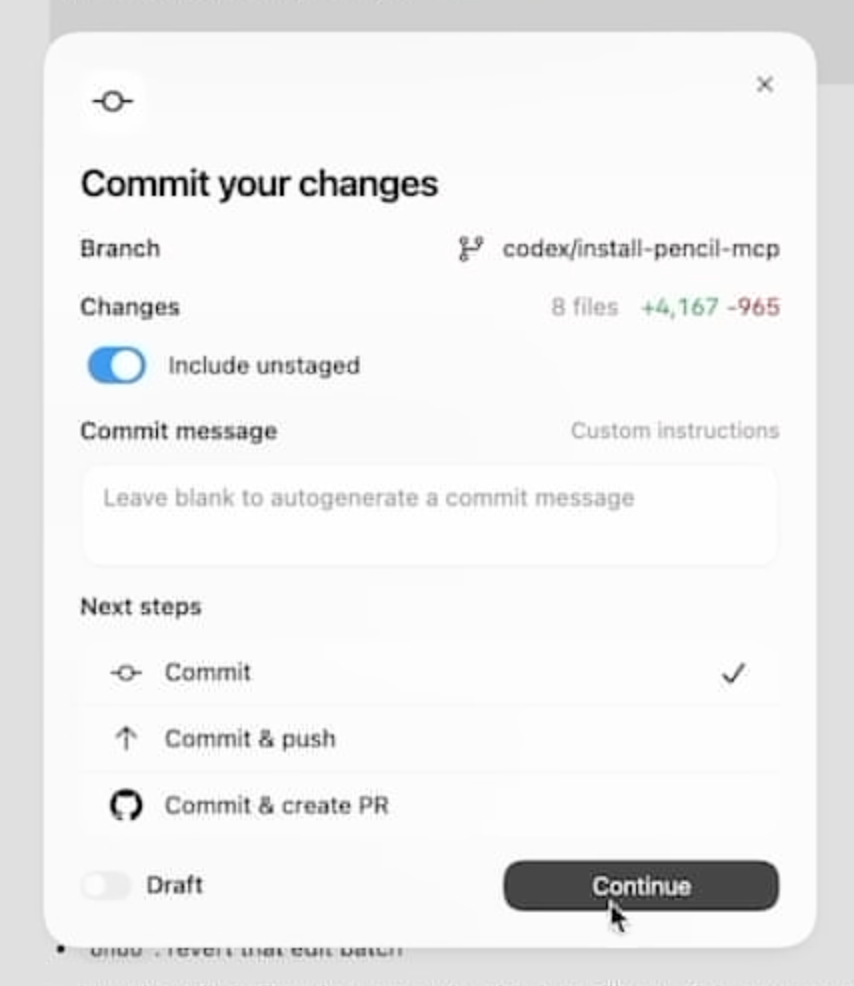
However, we eventually concluded it was a poor fit for the personas we identified earlier.
On one hand, we want in-the-loop developers and non-technical collaborators to gradually automate more parts of their workflow, especially tasks like writing commit messages, where coding agents can often be more thorough and consistent.
On the other hand, agent-first developers would likely bypass the modal entirely. They would continue delegating the work to agents, but without clear visibility into what is actually happening: what changed, whether commits were created, or if branches and pull requests were up to date.
Instead, we designed the committing experience around the code review screen itself. On the top-right, users can either commit the changes they have explicitly reviewed, if any, or commit all pending changes. Triggering either action simply prompts the agent to perform the work on your behalf:
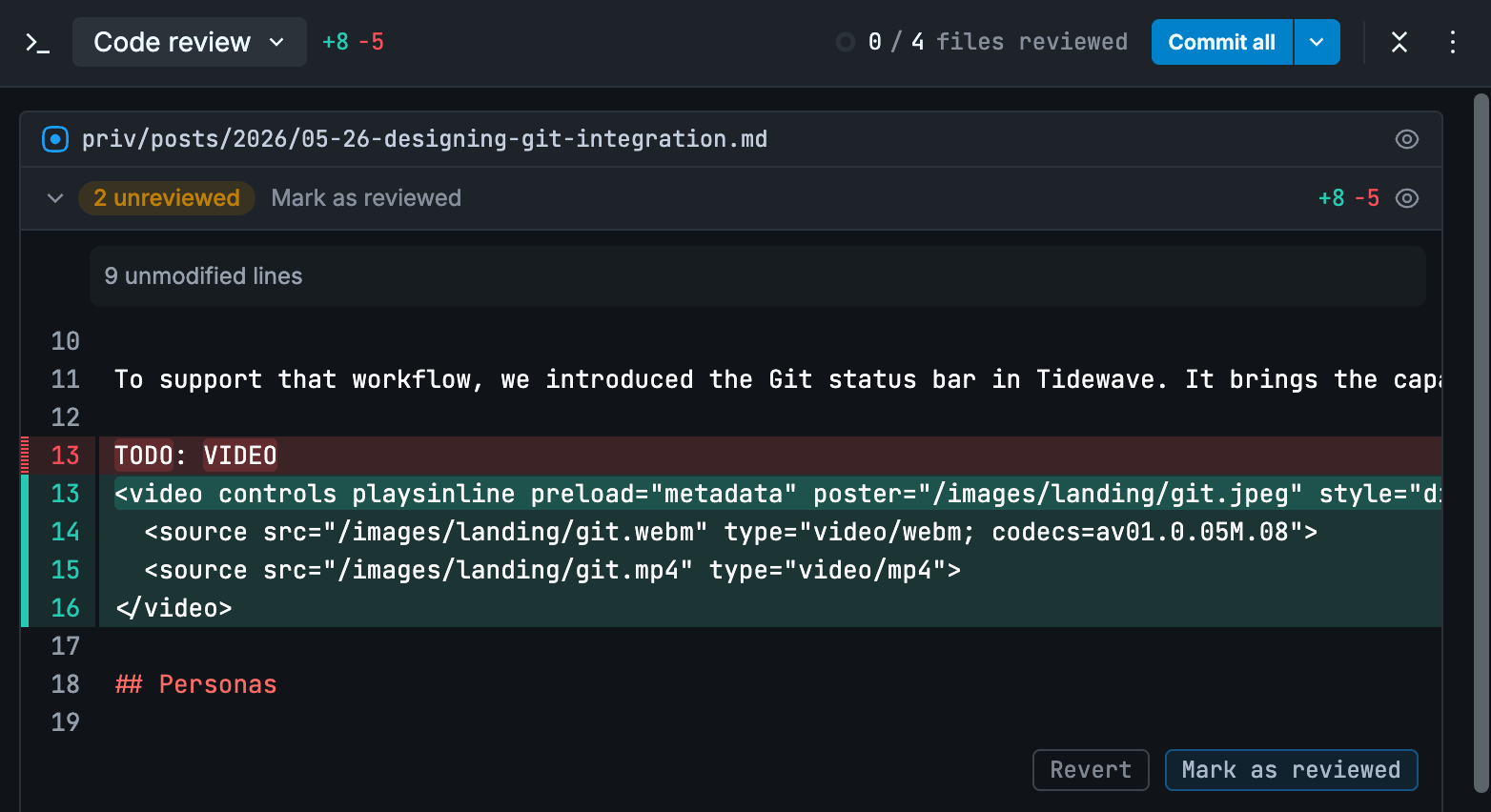
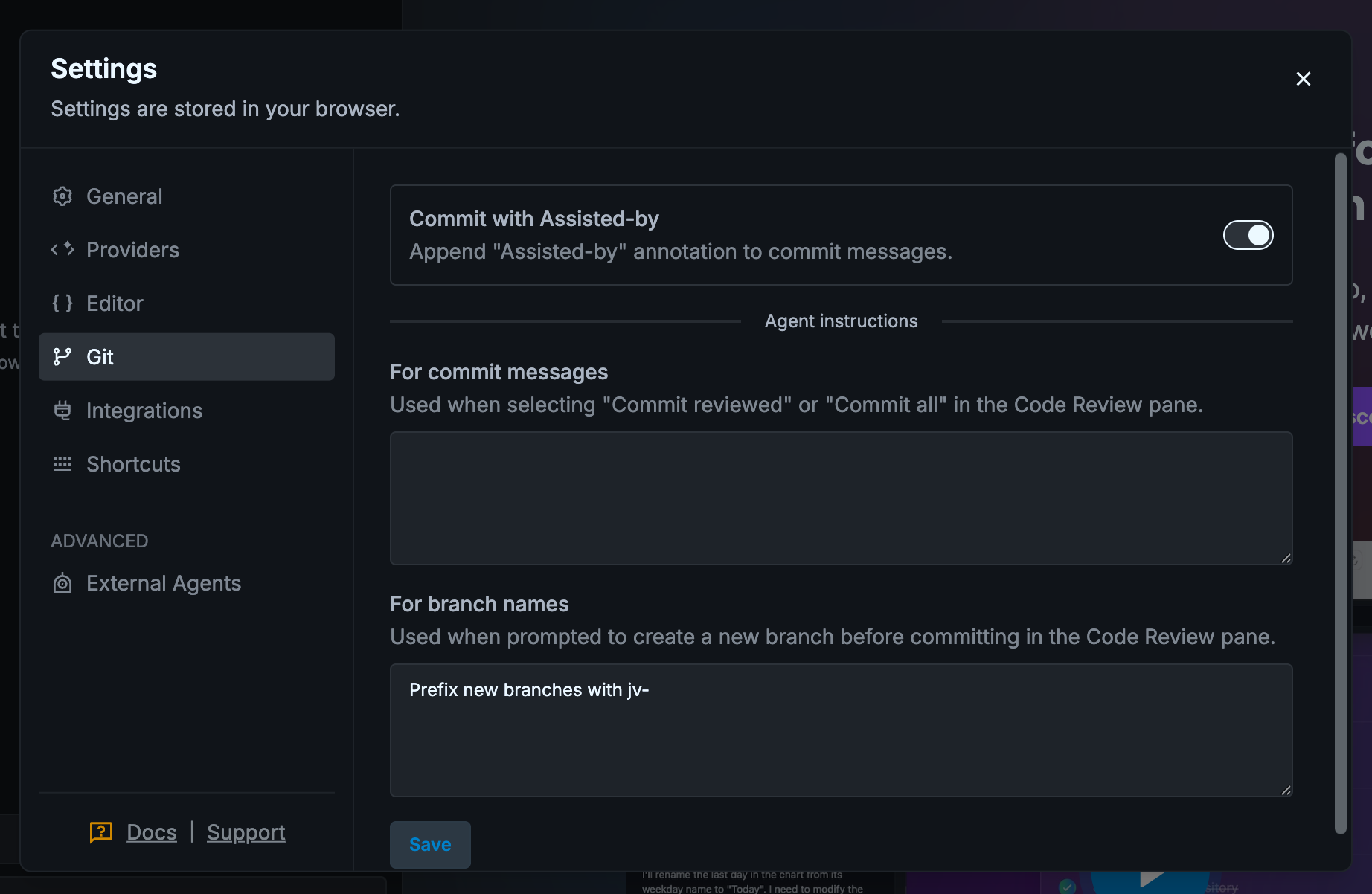
Additionally, if you are working on the default branch, such as main, Tidewave can prompt you to create a new branch before committing. By default, coding agents include “Assisted-by” attribution, which can be disabled. You may also provide custom instructions for commit messages and branch names.
The push experience
Whenever commits are created, Tidewave surfaces there are unpushed changes waiting to be synchronized with the remote repository. By hovering over the push status, users can inspect all pending commits and push them with a single click:
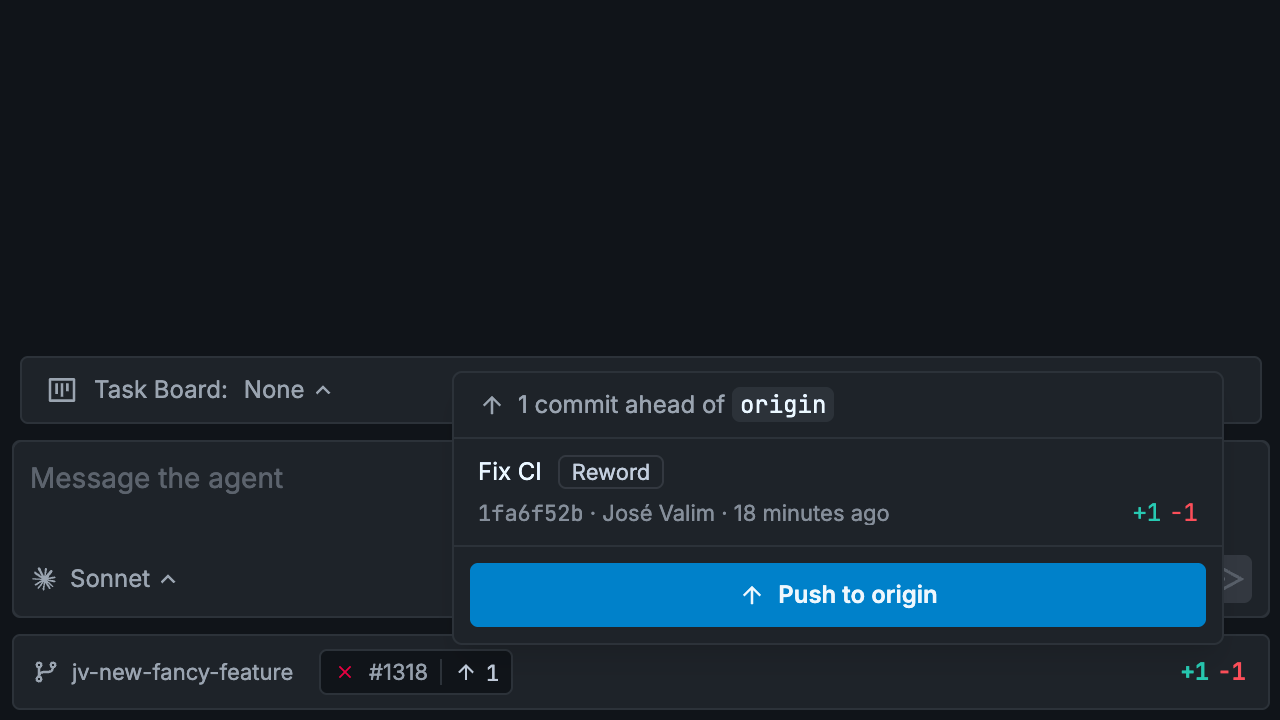
This interface provides a quick overview of what the agent has changed, committed, and pushed to origin, without requiring them interrupt the agent or jump into the terminal.
We also used this interface to address a common reservation from in-the-loop developers around automating commit messages. While coding agents can generate detailed and consistent summaries, developers often want to review and refine the final wording before changes are pushed upstream. Therefore, Tidewave includes a “Reword” action directly in the interface, making it easy to adjust the last commit messages while still benefiting from automation.
After pushing your changes, developers can open a pull request from the branch menu:
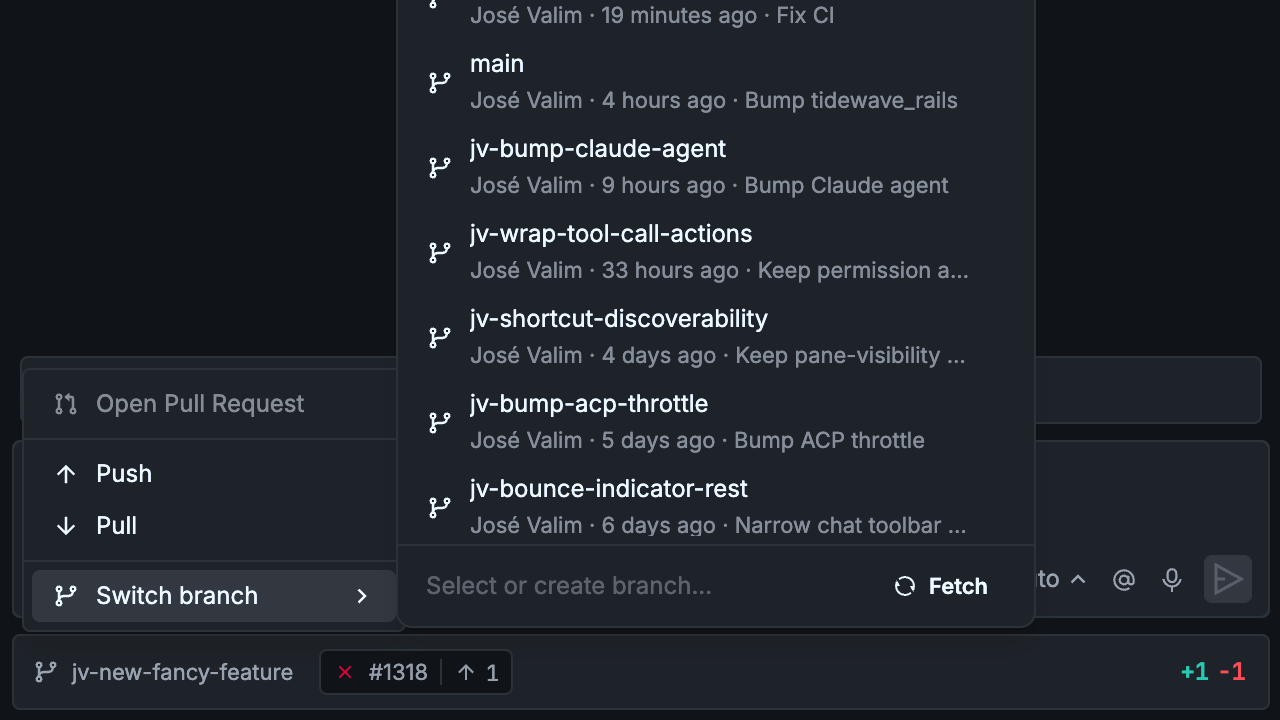
The pull request experience
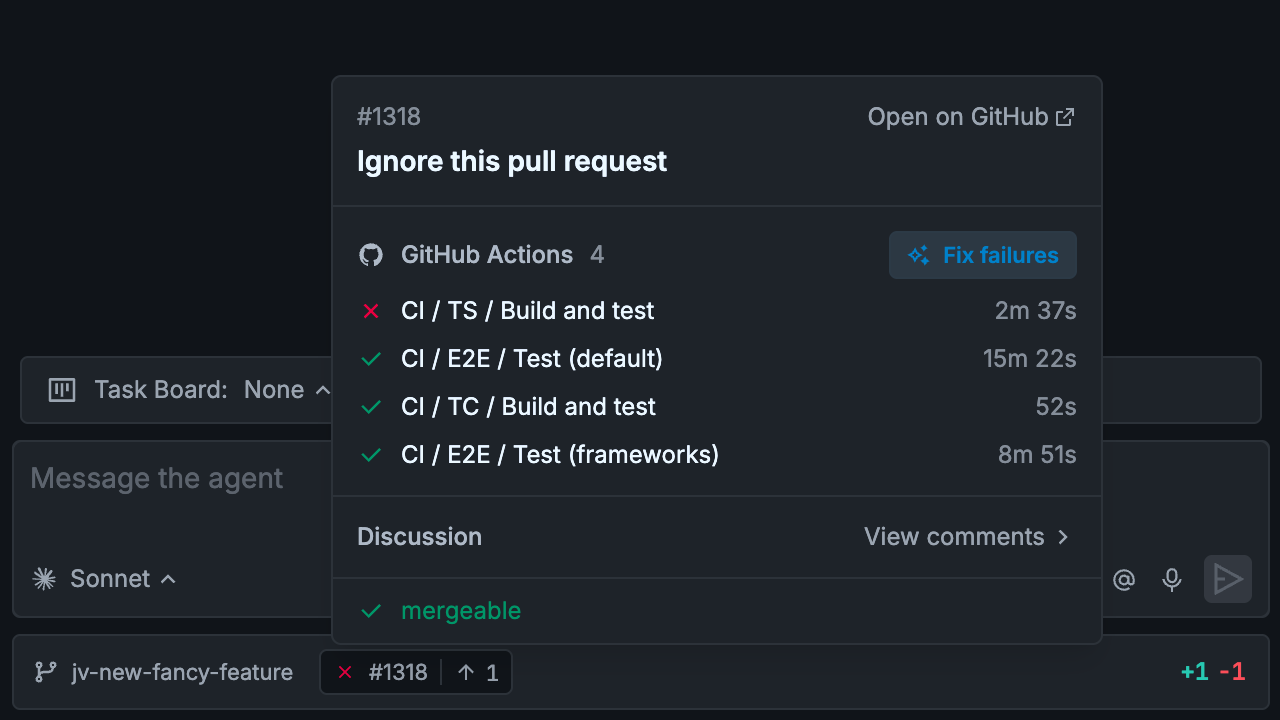
Tidewave integrates directly with the GitHub CLI to surface information about the current pull request, including CI status, ongoing reviews, and potential merge conflicts:
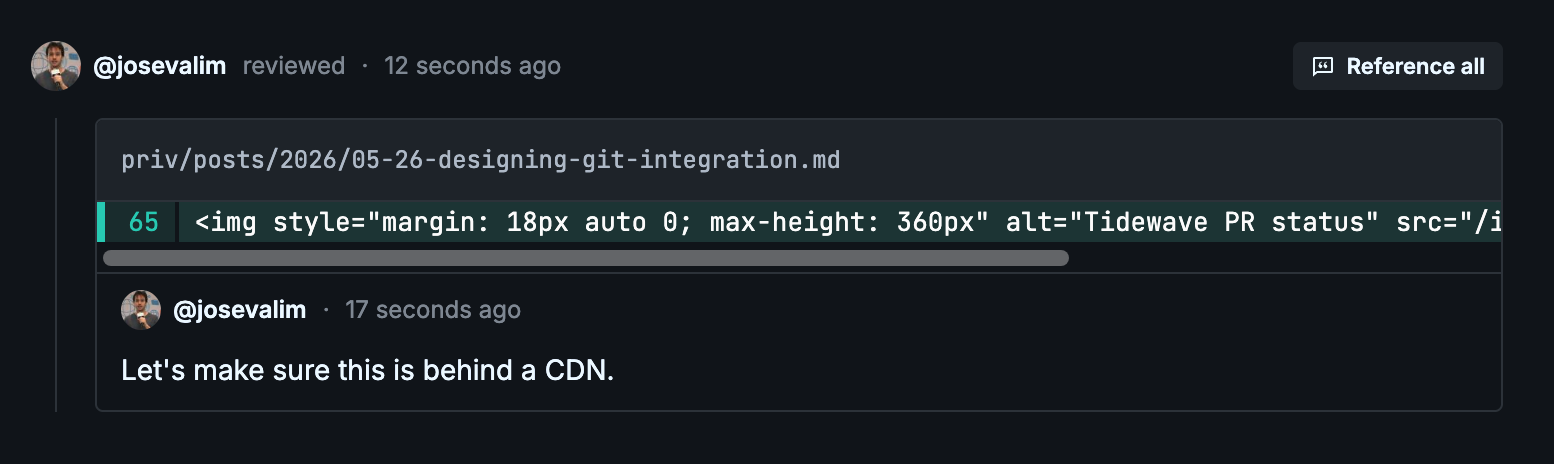
If there are comments or reviews, Tidewave summarizes their status and lets users open the pull request discussion directly within the interface. From there, users can reference entire reviews, individual comments, or excerpts in their conversations with the agent:
If GitHub Actions fail, users can click “Fix failures” to start addressing the issue. As with the commit experience, we intentionally avoid hiding the workflow behind a specialized UI. Instead, the action simply instructs the agent to use the GitHub CLI to investigate and resolve the problem using its existing context and tools.
More broadly, by pushing these interactions to the agent, we encourage users to refine and compose their own workflows instead of relying on bespoke interfaces. If you want an agent to continuously monitor CI failures, rebase branches, or follow up on review feedback, you can simply instruct it to do so directly.
Wrapping it all up
The Git status bar progressively surfaces information as it becomes relevant: from local changes and unpushed commits to pull request reviews, CI failures, and merge conflicts. The goal is to keep users informed about what is happening without overwhelming them, while making the most important actions available directly within their context.
For in-the-loop developers, this means less context switching and more opportunities to selectively automate repetitive tasks. For agent-first developers, it provides a clear overview of what agents are doing across commits, pushes, and pull requests. And for non-technical collaborators, it lowers the barrier to participating in Git-based workflows without requiring deep Git expertise.
We hope you enjoy using it as much as we enjoyed designing and building it!