Mermaid support, new frameworks, shortcuts, and more
This is a round up of the features, enhancements, and bug fixes we shipped since the new year.
Highlight: Mermaid rendering
Tidewave can now render Mermaid. All you need to do is to ask the agent to render one:
Since Tidewave can control the page, access your runtime, and run queries in the database, you can use Mermaid for different purposes:
-
Visualizing existing code: Tidewave could analyze existing code and generate diagrams to help developers understand relationship between modules, files, etc.
-
Documentation generation: after implementing a feature, Tidewave can generate sequence diagrams showing the request/response flow, architecture diagrams, state transitions, and others
-
Database work: given Tidewave's ability to execute SQL queries, it can generate ER diagrams, relationship diagrams showing foreign keys and query execution plans as flowcharts
-
Debugging and analysis: you can ask Tidewave what happens when it executes an action (such as clicking a button or filling in some form), and it will cross-reference client side actions with source code and logs
Highlight: new frameworks
- We have added support for TanStack Start, with precise source locations for client and server components, ability to read server logs, and automatic detection of errors pages
- We also support Vue.js across all frameworks, with precise source locations
Highlight: the shortcuts pane
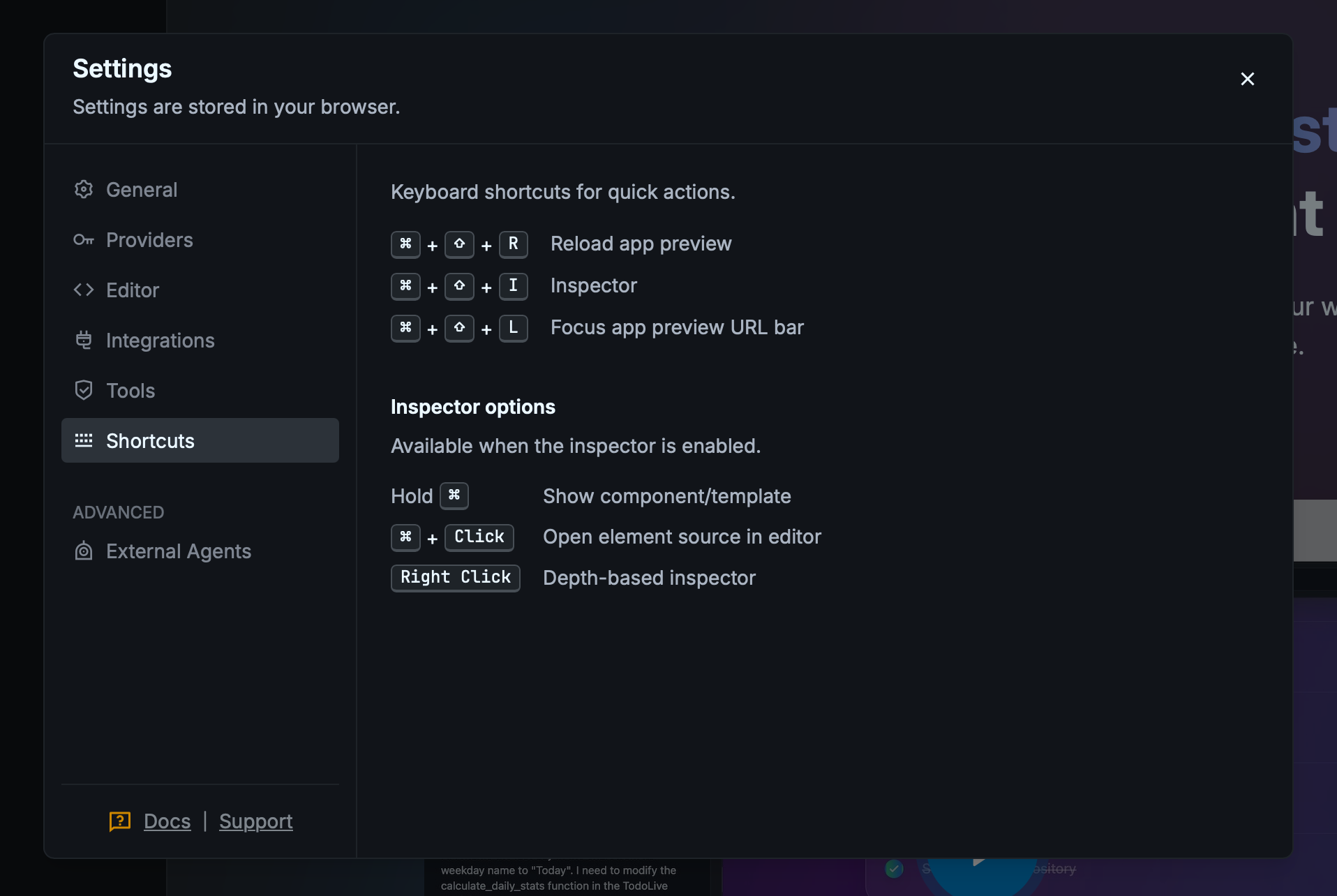
We are often requested to add new shortcuts to Tidewave, which we are happy to oblige. And to assist discoverability, we have documented all of them in the Settings page:
Enhancements
- Support PDF uploads
- Add the ability to rename existing chats
- Add the ability to resume and fork existing chats (requires latest Tidewave App v0.3+) if the ACP agent supports it (at the time of writing, only Claude Code does)
- Add
limitandoffsetcontrol to page snapshots to better cope with large pages - Increase grab area of the page resize handle
- Synchronize the page title with the title of the iframe
- Change favicon depending on the agent status (yellow for work-in-progress, red if it requires user action)
- Automatically include the content of DOM elements with
[role="alert"],[role="alertdialog"],[aria-live="assertive"]in the output of browser tool calls to help the agent detect when something went wrong - Whenever the application restarts, show the reason given by the agent for restarting
- Open chat links in new tab or embedded window
Bug fixes
- Ensure
RAILS_ENVdoes not propagate to shell commands (this should stop Rails running tests in thedevenvironment) - Properly track context usage when using the OpenAI API
Changes
- The "Auto-run" feature now only applies to native agents (GitHub Copilot and Bring Your Own Keys). For Codex and Claude Code, you can choose different modes and select a preferred one